How many services hold your data right now? Google Photos has your pictures, Google Drive has your documents. It works, sure. But it bothers me that these services charge you to store things that are already yours. And it’s getting worse: more and more companies sell you the right to access instead of ownership. You’re not the owner, you’re the tenant.
I wanted to change that. I wanted my files running inside my house, on my own hardware. And I managed to do it all with a Raspberry Pi 4.
What I wanted
A Google Photos replacement for my pictures. My own Drive for documents. A system that could OCR my PDFs and contracts so I could search by content. And a network-wide ad blocker, because why not?
Sounds like a lot for a computer the size of a credit card. It is. But it runs.
The hardware
| Component | Role |
|---|---|
| Raspberry Pi 4 (8 GB) | Server |
| MicroSD 128 GB | OS + Apps |
| SSD 128 GB (USB) | Data |
| Official Raspberry Pi PSU | Power |
One thing I learned the hard way: separate your system from your data. The MicroSD holds the operating system and applications, the SSD holds everything that matters (photos, documents, databases). If the system gets corrupted, just flash a new image. The data stays intact on the SSD.
The counterfeit SD card saga
Before I got to this setup, I lost days debugging what looked like a software problem.
The MicroSD card I was using claimed to have 250 GB. It actually had 8 GB. Counterfeit. The system fit within the real 8 GB, so everything worked fine. I installed CasaOS, Pi-Hole, no issues. When I installed NextCloud and started uploading files, the data passed the 8 GB mark and the card began overwriting system data, silently.
The result: corrupted Docker binaries, destroyed databases, kernel panics. I’d reinstall, it would work for a while, then corrupt again. I thought it was NextCloud, I thought it was Docker, I thought it was the filesystem. It was the card.
A tool called f3probe put an end to the mystery:
Bad news: The device is a counterfeit of type limboUsable size: 7.95 GBAnnounced size: 250.00 GBIf you buy SD cards online, test them before you use them. Seriously.
The architecture
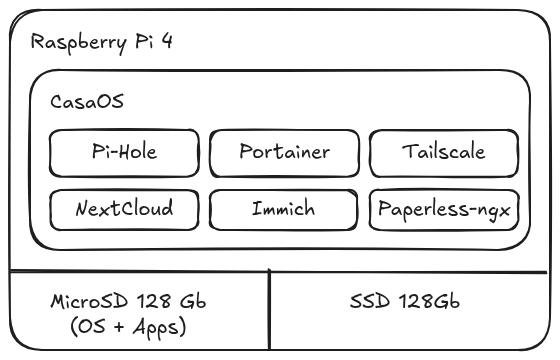
Everything runs on top of CasaOS, which is basically a web interface for managing Docker containers. You install apps from a store that looks like a phone’s. Each service runs in its own container and all the data goes to the SSD.
The services
Pi-Hole
Pi-Hole blocks ads at the DNS level. I configured my router to use the Pi as the primary DNS server and that was it: phones, TVs, computers, everything got ad-free. No per-device setup needed.
NextCloud
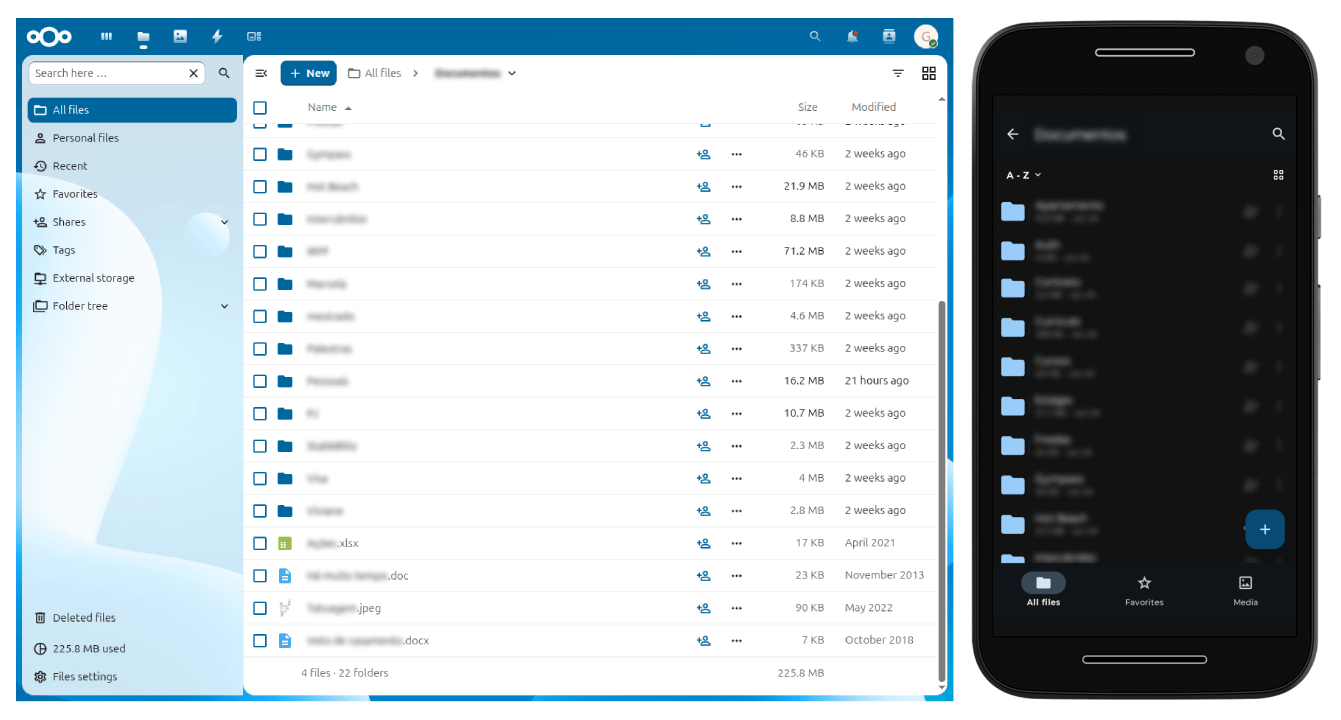
NextCloud became my Drive. I access it from the browser, sync folders from my phone, share links when I need to. The files live on the SSD, inside my house.
Immich
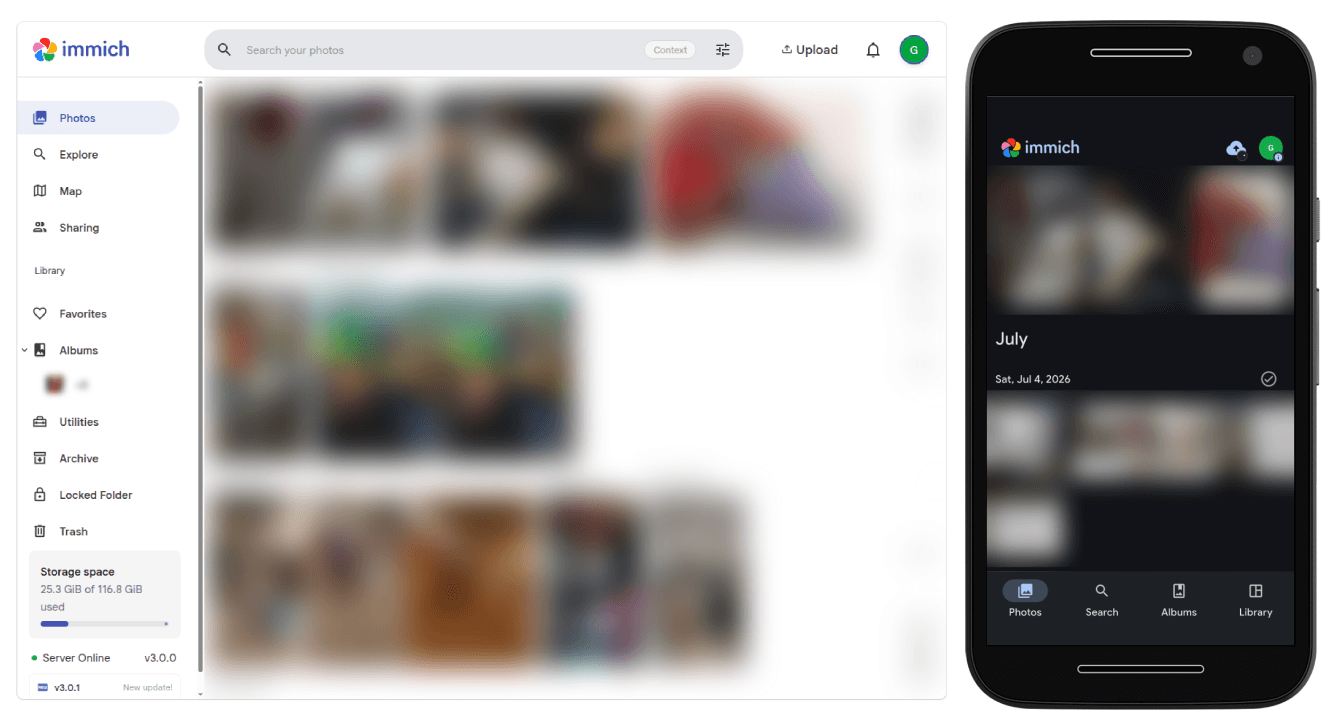
Immich replaced Google Photos. It auto-backs up photos from my phone, organizes by date, recognizes faces, and lets you search by content. The interface looks a lot like Google Photos, which makes the transition easier. I have about 24 GB of photos and videos running on it without issues.
Paperless-ngx
Paperless-ngx might be my favorite of the bunch. You throw documents at it (PDFs, receipt photos, contracts) and it runs OCR, indexes everything, and lets you search by content. I dumped over 500 documents into it and now I can find any contract by searching for a single word.
Tailscale
Tailscale creates a VPN between my devices. I can access everything from anywhere as if I were home. No port forwarding, no dynamic DNS.
Portainer
Portainer is the monitoring dashboard. It shows logs, status, and resource usage for all containers. When something breaks (and it will), it’s the first thing I open.
The accidental screensaver
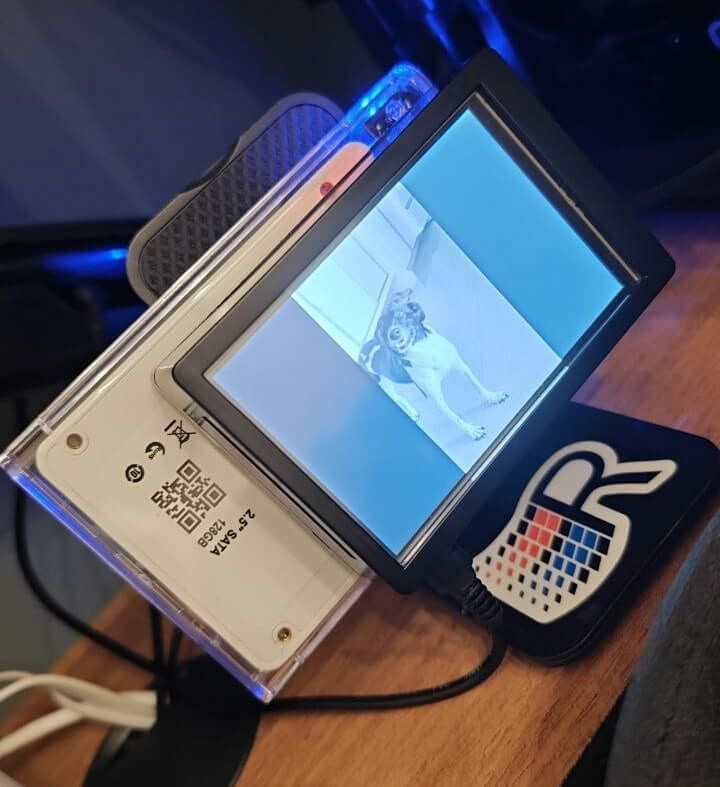
The Pi has a small screen attached to it. Tiny, but enough to display something. At first it just sat there turned off, doing nothing. Then I thought: Immich already has all my photos, why not run a slideshow?
I wrote a script that picks random photos and displays them fullscreen. Then, from what I learned building Alexo, I figured out how to make the script run automatically on boot. When the Pi goes idle, the slideshow kicks in on its own, like a screensaver.
Now I have a digital photo frame on my desk all day, with my own photos. It wasn’t part of the original plan, but it ended up being my favorite part of the setup.
What I learned
Test your hardware. I spent days thinking the problem was software when the SD card was fake.
Don’t pull the power cord. Shut the Pi down through the OS. Cutting power on a Linux system with an SD card is asking for filesystem corruption.
Start slow. I installed one service at a time, tested it, and only then moved to the next one. The temptation to install everything at once is real, but when something breaks you won’t know what broke what.
And something I didn’t expect: every problem I solved made me want to solve the
next one. The fake SD card taught me to test hardware. The boot hang taught me
about fstab. The container that wouldn’t start taught me how Docker mounts
volumes. None of this was in the plan when I started. I just wanted to store
some photos.
The homelab ended up becoming a hobby on its own. I like the process of building, breaking, fixing, and slowly improving things.
Is it worth it?
Depends on what drives you. If you want something that just works without thinking about it, pay for Google One and move on. No shame in that.
But if it bothers you that your photos, documents, and personal data live on servers owned by companies that can change their terms whenever they feel like it, a homelab fixes that. Is it work? Yes. Things break, containers crash, SD cards corrupt. But at the end of the day, it’s all yours.