Back around 2017 I bought a Raspberry Pi Zero after watching a pile of videos about the fun things you could do with one. One of them stuck with me and kept me thinking about it for a long time: retrogaming.
The more I read about it, the more I wanted in. It wasn’t only the old games I wanted to play again. It was the idea of building a device and having something 100% mine.
That’s how I found channels like Wermy/Sudomod and GreatScott. I still go back to both.
Building things I don’t know how to build has always pushed me to research and study topics I never imagined I’d be able to work with.
Most of what I know about software came from my career in development, but hardware always pulled at me too. So I decided to build my own console.
The software side I had already solved, and I even wrote here about setting up an emulation station with a Raspberry Pi. What I was missing was the device itself: the screen, the battery, the buttons, the shell.
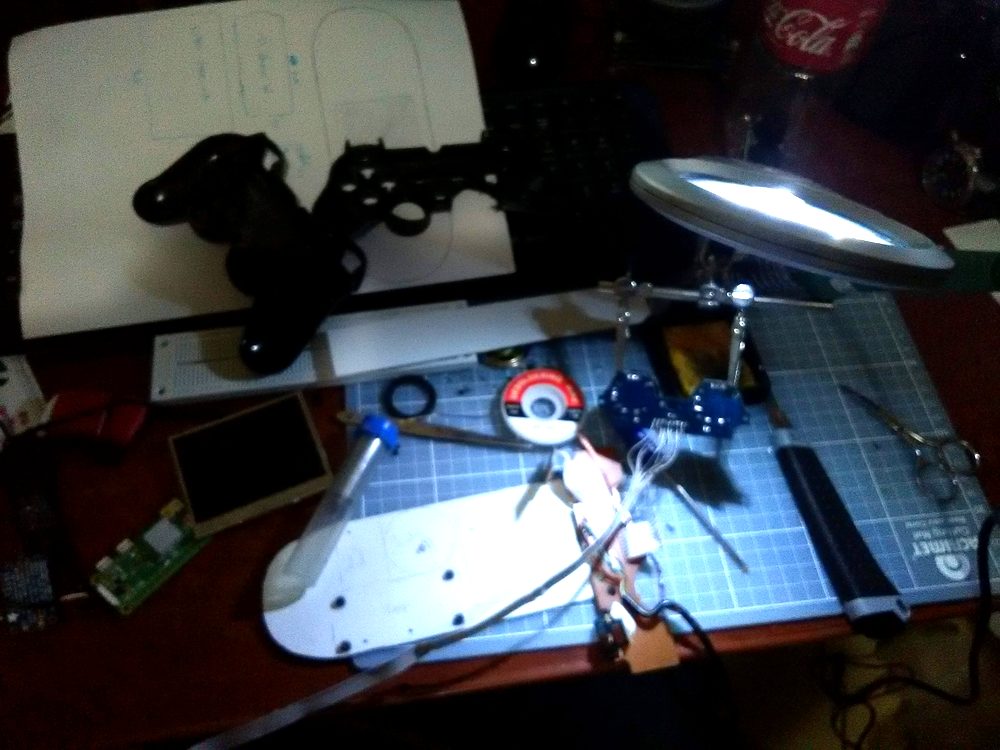
It didn’t go well.
The idea of having something of my own stayed with me, and every video I watched and every post I read brought it back. Time passed and the project sat there. The parts just collecting dust.
One day I decided to build something simple, something that only needed the Pi and the screen. That’s when it hit me to put what I know about development to work.
And that’s how Alexo was born.
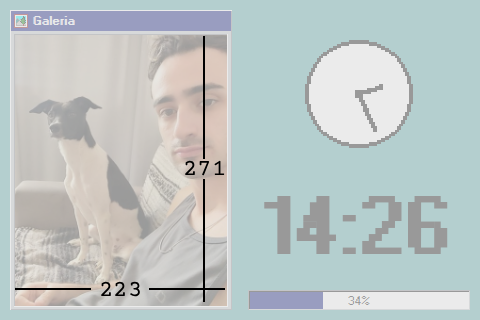
A device that sits next to my PC showing some photos, the time, the forecast and the dollar and euro rates. Dressed as React95, of course.
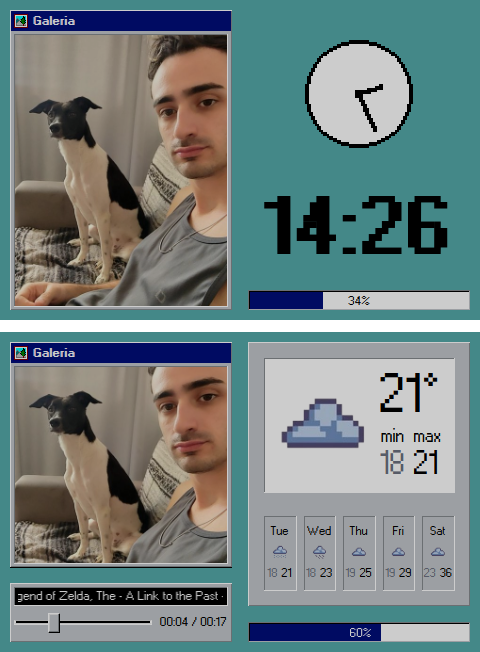
What runs in there
Under the hood, Alexo is a website. The Pi runs a Node server and, on the same
machine, opens a fullscreen Chromium pointed back at itself. What you see on
that 3.5 inch screen is a browser sitting on localhost.
The interface is React. The server behind it serves that page, holds the photos and the music, and talks to the NFC reader.
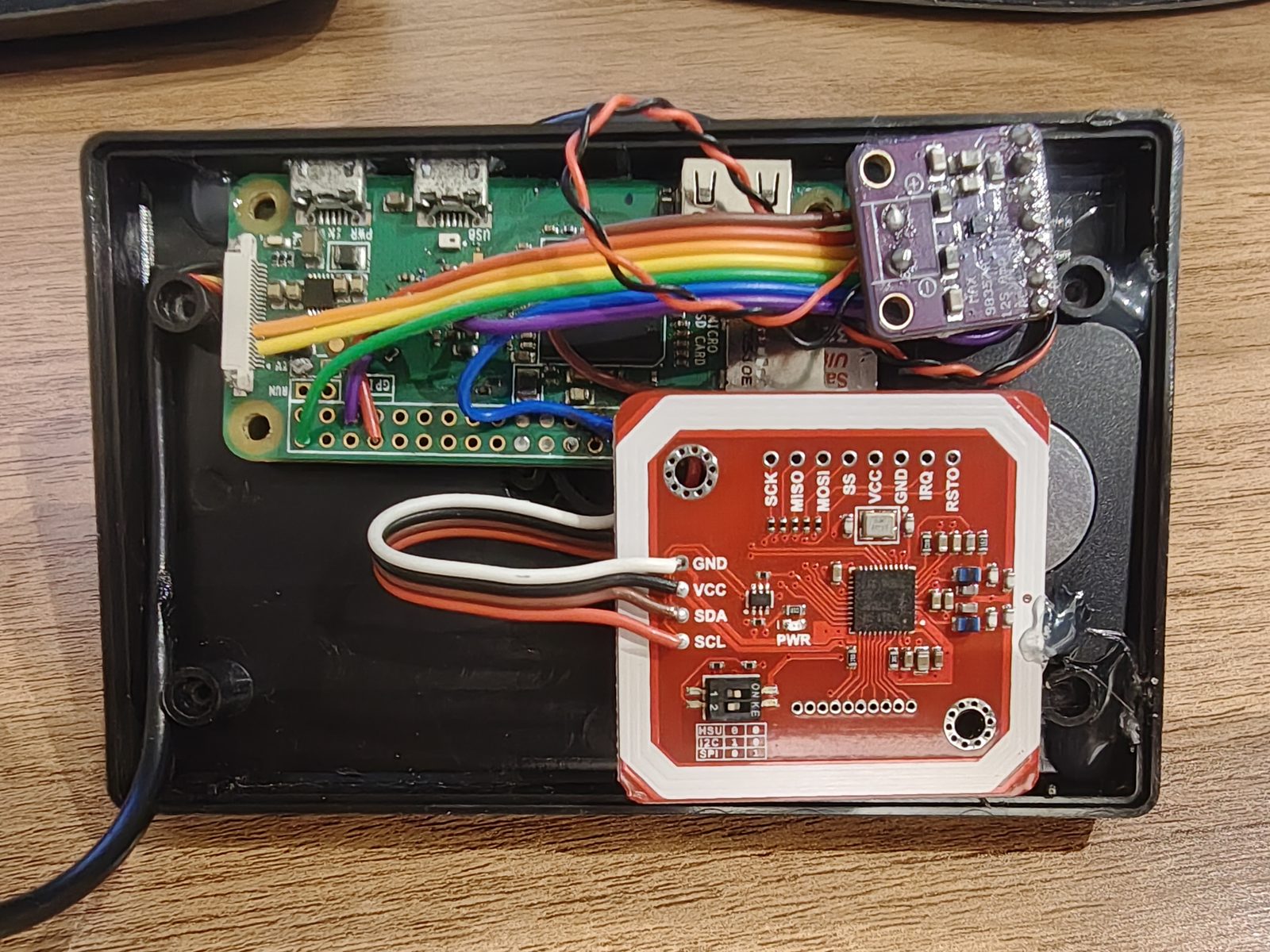
The player
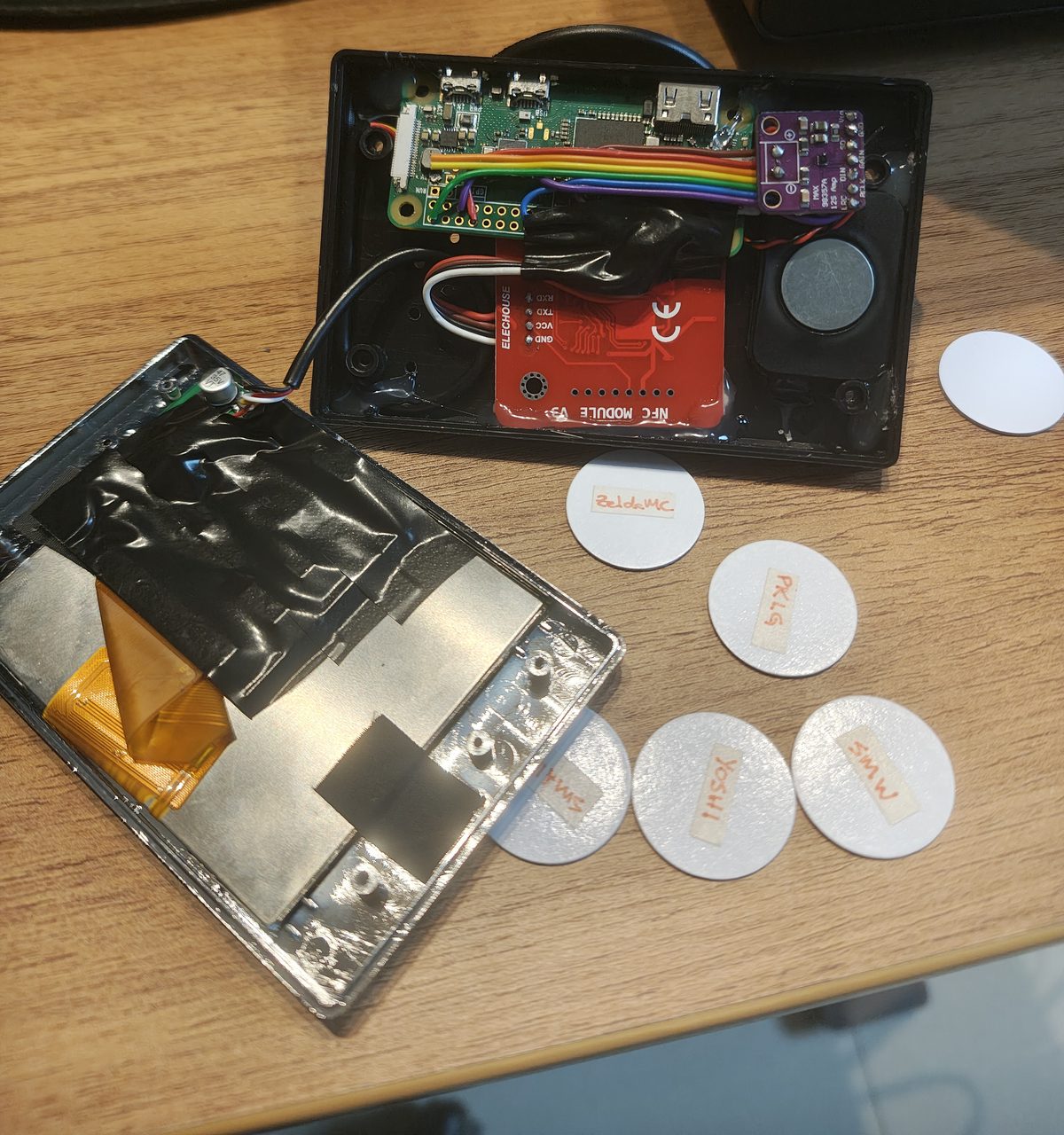
I had a handful of NFC tags I’d bought once meaning to automate the house: at bedtime, when I put my phone down on the nightstand, it would read one of them and turn off all the lights. Never built it.
Then I saw a video from Nvkv Makes, who built a screen-free music player for his kids with an ESP32 and NFC cards shaped like cassette tapes, each one pointing at a folder of music. That was the push my tags needed to leave the drawer. His is a dedicated device, built from scratch, with no screen at all. Mine is almost the opposite: a screen that was already on my desk and got a reader bolted on.
Touch a tag, an album plays. Take it off, it pauses. Put the same one back, it picks up where it stopped. Touch a different one, the album changes.
Each tag is a whole album, never a single track. And among the albums I put a few old game soundtracks, which suit the Windows 95 look of the thing and pull on the same nostalgia.
The music isn’t played by my code. It’s mpv, a command line player that sits running as a background service. Alexo’s backend just sends it orders, like “play this album” or “pause”.
The player has no controls on screen, and it wouldn’t make sense for it to have any. The screen isn’t a touchscreen and the device doesn’t have a single button, so it’s 100% read-only. It only shows. The tag is what gives orders.
Where I set it all up
If the screen doesn’t take touch and the device has no buttons, how do I add a new album or change the photos in the gallery?
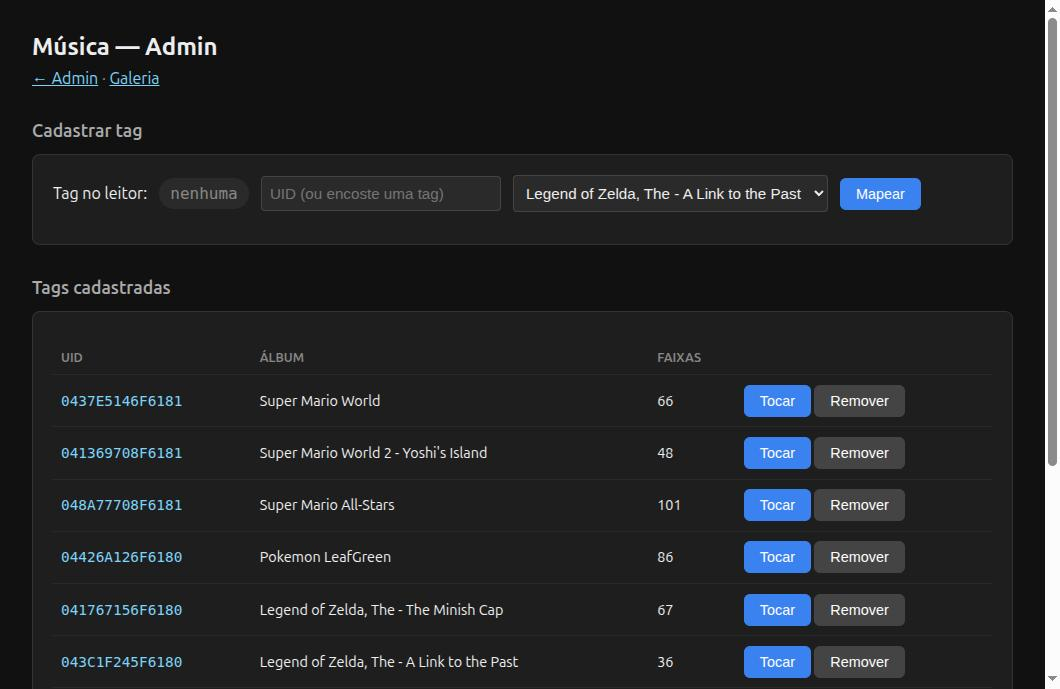
From another machine. Alexo serves an admin page on the home network, and I open it from my PC or my phone.
That’s where I upload photos and add albums. And that’s where my favourite part lives. To register a tag, I touch it to the reader and the page shows its code right away. I pick an album from a list, click map, and that tag now plays that record.
There’s a machine side too: memory, disk, temperature, and Alexo’s services with buttons to stop and start them.
The screen wasn’t made for this
Alexo’s screen is the same one I’d bought years earlier for the console. A cheap car reversing camera display, which is what a lot of people use for this kind of project. It takes composite AV rather than HDMI, which on its own means a series of adjustments on the Pi before anything shows up.
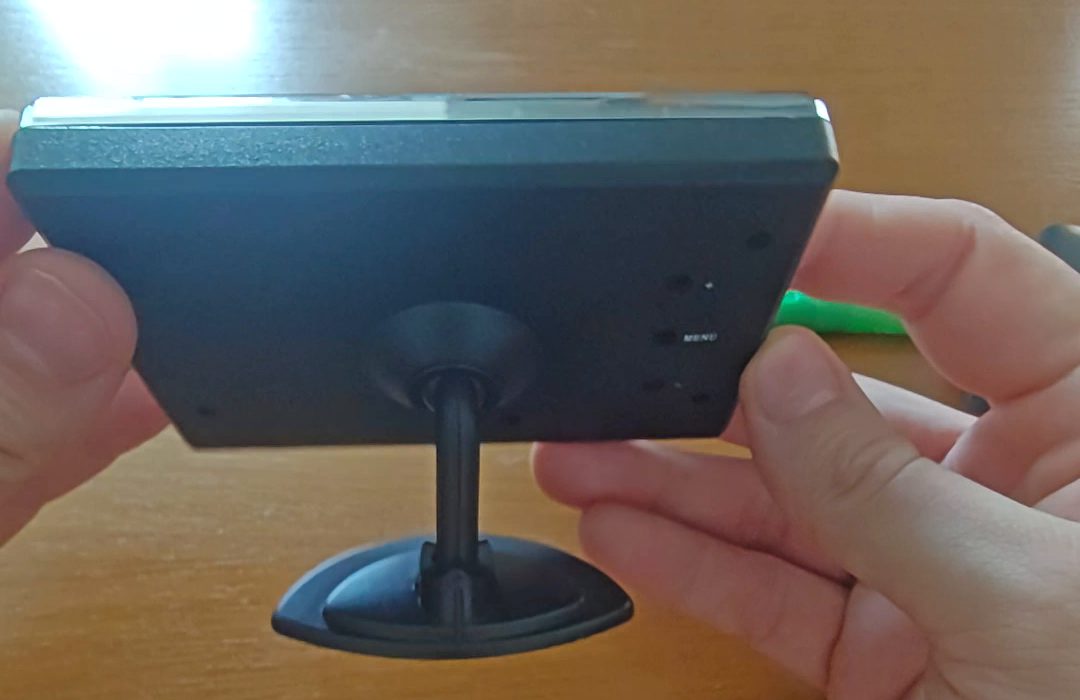
The other problem is power. Cars run on 12V and the Pi gives you 5V. I had done that conversion once before, years ago, but this screen was a newer model and none of the tutorials I found applied, because the driver boards were all different from mine.
I asked for help on r/eletronica. The first answer was the obvious one, a 5V to 12V step-up board, which would have worked. But a much better observation came with it. Plenty of cheap car displays sold as 12V already have a regulator right at the input and run on 5V inside. The move was to measure the voltage at a particular capacitor on the board and, if it read 5V, feed it there directly.
That was exactly the case. No converter needed, just skip the 12V input and hand the 5V to the point where the screen was already working.
The four times I was the one who was wrong
The reader that was fine all along
The NFC reader wouldn’t respond. I’d touch a tag to it and the Pi gave no sign of having noticed anything at all.
Two explanations seemed obvious, and I argued for both with conviction:
- The reader wasn’t getting enough power
- A part was missing in between to protect the Pi
Both were wrong. The power was always enough and the part was never needed.
The problem wasn’t electrical, it was a conversation. The Pi and the reader can talk over two different paths, like two languages, and the one I had picked is the only one of the two where there’s no way to ask “anyone there?“. You talk and hope.
All I had to do was switch languages. Except the reader was soldered straight onto the pins of the first one, no jumpers, and switching meant desoldering everything and rewiring it somewhere else on the board.
That’s when I found out Linux does that switch in software, with a driver called
i2c-gpio.
The entire fix is one line in the Pi’s config file:
dtoverlay=i2c-gpio,i2c_gpio_sda=15,i2c_gpio_scl=14,bus=3It builds a new bus on the very same two pins the reader was already soldered to. Not a single wire moved.
It worked on the first try. And
i2cdetect,
a one line command, would have told me on day one which of the two languages the
reader was willing to speak.
The meter that measured wrong
With the reader working, the readings looked unstable. I’d leave a tag sitting on it and it would read once, then never again.
To measure it properly I wrote a separate script that read in a loop and counted how many attempts landed. I tried three different ways of hunting for the tag and they all came out at the same 2% hit rate. I spent a good while with a finger holding the tag in place, watching that number refuse to climb.
The problem was the script doing the measuring, not the reader. It asked for more bytes than the response held, and the difference came out of the next response. From there on every command read the leftovers of the one before it and everything came back scrambled. The hardware was perfect the whole time.
The worst part is that the answer had been in front of me from the start. Another script of mine, this one with the right sizes, read tags without failing on the same afternoon my meter was insisting on 2%. I suspected the signal, the antenna position and the protocol before I suspected the tool I had written to measure.
With the size fixed, it read 100% of the time, on the first attempt.
The dog photo
This one is my favourite.
The Pi started dropping off the network every few hours. The symptom was odd.
The router showed the device connected, and nothing answered. No SSH, no ARP.
And the screen kept working normally, not least because everything it shows
comes from localhost.
I tested and ruled out three causes:
- Power. I had just added an audio amplifier and suspected the way I was powering the Pi couldn’t keep up (it was either a plain USB port or a power bank). Luckily the Pi records every time the power dips below the minimum on its own, and the record was empty.
- The remote access tunnel I had set up so I could develop on my own machine instead of being stuck working on the Pi. I removed the tunnel and the drops carried on.
- The NFC reader, which scans for tags non-stop. This one had a real, measured effect: with scanning on, Wi-Fi fell from 43 to 6.5 Mbps and pings reached 433ms or failed outright. With only that turned off, 52 Mbps and not a single failure in five minutes. But I cut the scanning by a factor of ten and the Pi kept dropping.
The real cause was the gallery photos. Phone photos at original resolution, the largest one 3468×4624. The file is small, 344 KB, because JPEG compresses well. But to draw it on screen the browser has to decompress it, and then every pixel becomes 4 bytes.
3468 × 4624 × 4 bytes = 61 MB of RAM the largest photo alonethe 5 gallery photos = 190 MBtotal RAM on the device= 430 MBthe gallery panel = 223 × 271 pixelsI was decoding 16 million pixels to show 60 thousand.
The browser ate so much memory processing those photos that the RAM ran out. When that happens, the system starts parking on the SD card whatever no longer fits, and fetching it back whenever it needs it.
And that’s how I found out first-hand what swap is 🫠.
The trouble is that this back and forth never stops. The browser keeps asking for that memory all the time, so the card stays busy all the time. And on the Pi Zero the card and the Wi-Fi share the same path.
With the card permanently busy, the Wi-Fi never got a turn and dropped its connection to the router.
A photo of my dog was knocking the Pi off the network.
After resizing the photos down to 800 pixels at most, the 190 MB of decoded image became 8.2 MB, free memory went from 80 MB to around 250 MB, and the drops stopped.
10 °C from a paused player
Two days after everything was working, the Pi got extremely hot, kind of out of nowhere.
My first theory was the surroundings. It had moved off a power bank and onto the PC’s USB, and the stack of boards (Pi, amplifier, screen driver) all sits touching. I ruled that out the same afternoon. The device settled at 60 °C in the same spot, on the same cable, without me changing a thing.
There were two causes, and both were software.
The first was mpv writing thirteen log lines per second. Running in a terminal, this is what it shows:
$ mpv "04 Northern Kremisphere.mp3"
Playing: 04 Northern Kremisphere.mp3 (+) Audio --aid=1 (mp3 2ch 44100Hz)File tags: Artist: Eveline Fischer Album: Donkey Kong Country 3 Title: Northern KremisphereA: 00:00:03 / 00:02:46 (1%)
In a terminal it all looks lovely. The elapsed line updates in place, because
mpv sends a \r at the end of each update and the terminal puts the cursor back
at the start of the line. Which doesn’t work so well when you’re running the
player in the background, as a systemd service. There’s no terminal there at
all, so the output goes to the journal, which is where systemd keeps service
logs. And the journal never rewrites anything, it only appends. Every update
became a new line.
Thirteen minutes of music produced 10,096 lines, 78% of the entire journal for
that day. That’s constant writing to the SD card, the same path as the dog photo
story. A --quiet on the line that starts mpv sorted it out.
The second was that pausing doesn’t release the sound card.
| Moment | Temperature |
|---|---|
| Idle, nothing running | 60.5 °C |
| 19 min of music | 64.3 °C |
| 27 min after pausing | 70.8 °C |
| 22 min after a real stop | 64.8 °C |
The temperature kept climbing after the music stopped.
mpv holds on to the card even while paused. And as long as it’s open, the Pi keeps sending signal to the amplifier non-stop, even when what’s going through is only silence. The amplifier sees that signal and doesn’t shut down. It stays awake, heating up for nothing. Only a stop lets go of everything.
Leaving the player paused keeps the Pi 10 °C hotter.
There was a hardware fix available, poking a pin on the amplifier that puts it to sleep. But everything was already soldered and I didn’t want to touch the boards again, so I went the software route expecting a bodge.
The mpv version running on Alexo is old and has no option at all for releasing the sound card. What it does let you do is change the audio output with the player already running.
So what I do is switch the output to nothing. mpv lets go of the card and still keeps the queue, the track and the exact second it was on. When it’s time to come back, I hand the real output back and it carries on from where it was, as if nothing had happened.
A 60 second idle timer does that on its own, and the problem disappears without anyone knowing it was ever there. No bodge in the end. It came out better than poking that pin would have.
The pattern
The mistake was always closer than I thought. I only noticed it rereading my own notes from that week.
It was the wrong language and not a lack of power, my meter and not the reader, the photo in the gallery and not the power supply, the paused player and not the heat from the PC. Power took the blame twice, in two problems that had nothing to do with each other.
The hypothesis was always more interesting than the cause. And the cause was always something dumb I had built myself two hours earlier.
What I take from this project has nothing to do with NFC. When my measurement says one thing and another test of mine says another, the one that’s wrong is usually the thing I wrote to measure with. I learned that halfway through and still fell for it again later.
There’s always one more thing
Alexo is never finished. A new idea for something to put on it keeps turning up, and having it switched on there on the desk is what makes me come back.
The console I wanted in 2017 never existed. But there’s a 3.5 inch screen next to my PC that starts playing an album because I touched a tag to it. It isn’t what I had planned, and I like it better this way.
All the code is at ggdaltoso/alexo.